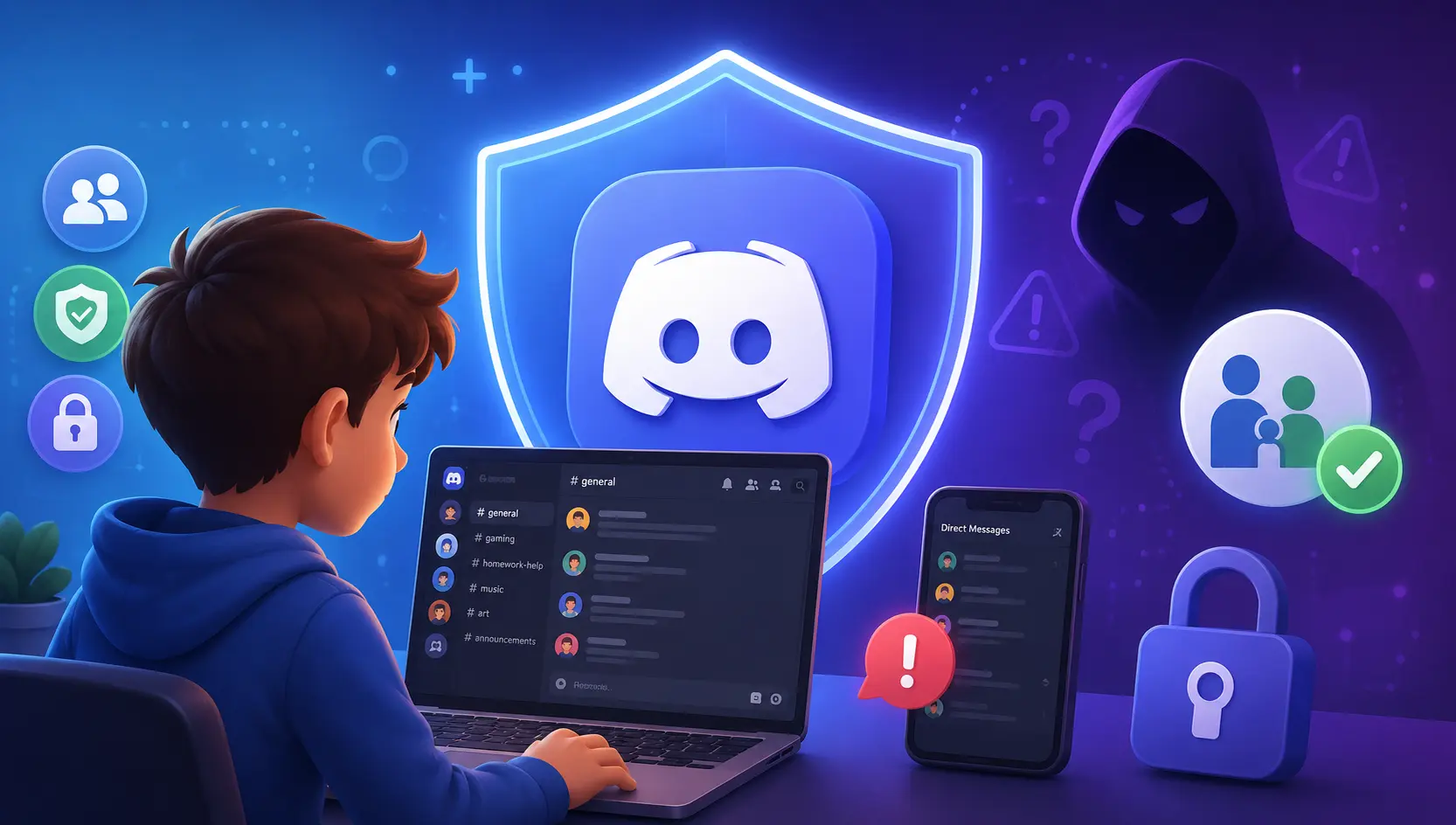
If your child games or chats with friends online, Discord is very likely already on their phone or PC. More than 200 million people use it every month, and it's where many kids now hang out after school. So the real question for parents in 2026 isn't whether your child will use Discord — it's whether you understand the risks well enough to keep them safe.
This guide gives you the honest, data-backed answer: the risks that matter most, why predators and three state attorneys general have put Discord in the spotlight, what the new age checks and Family Center can (and can't) do, how to lock down the safety settings, and how KidsNanny covers the gaps Discord leaves open.
Is Discord Safe for Kids? The Honest Answer
Discord is not a tool built to harm children, and for millions of teens it's simply where they talk to friends, plan games, and share memes. It's a communication app — think group chat, voice call, and forum rolled into one — organized around "servers," which are private communities anyone can create and join. But Discord's core design — anyone can create a server, near-strangers can message your child directly, and much of the conversation is private and fast-moving — creates specific risks that are more serious than on a closed, single-purpose app.
The accurate answer is this: Discord can be reasonably safe for a mature teen whose account is locked down with the strictest safety settings, whose direct messages are restricted, and whose parents stay involved — and it is genuinely risky for a young child, or for any teen left on default settings with open DMs and unknown servers. The app is not the whole story. The age, the settings, and the supervision are.
What Is Discord and Why Do Kids Love It?
Discord is a free chat platform where people talk by text, voice, and video inside communities called servers. Originally built for gamers in 2015, it's now used for everything from school study groups to fan communities. Kids are drawn to it for a few powerful reasons:
- It's where their friends already are. Kids hop into voice chat with friends while gaming, then stay to talk long after the game ends — it works more like a digital hangout than an app.
- Communities for every interest. There's a server for almost every game, creator, hobby, and fandom, which makes it easy to find "your people."
- It feels private and grown-up. Unlike public feeds, most Discord conversation happens in semi-private servers and DMs — which is part of the appeal, and part of the risk.
- Persistent identity and status. Roles, custom badges, "Nitro" perks, and server ranks give kids a sense of belonging and status among their peers.
Understanding the appeal matters, because a flat "Discord is bad" stance rarely works with kids. The goal isn't to demonize something they love — it's to make it safer.
How Many Kids Are on Discord? (The Numbers)
Discord's scale is the reason it deserves a parent's full attention. The platform reports more than 200 million monthly active users worldwide, and it is consistently one of the most popular apps among teenagers. According to the Pew Research Center, about 28% of US teens (ages 13–17) use Discord — and that rises to 44% among teen gamers. Officially, Discord is built for ages 13 and up — but many younger children use it anyway, usually to talk with friends while gaming.
The numbers parents should know
Discord's minimum age is 13, but a child only has to type an older birth date to get in. Pew found nearly half of teen gamers use it — and Discord won't say how many of its users are minors. Bottom line: if your tween or teen games online, they're very likely on Discord, whether you've heard them mention it or not.
The 7 Biggest Discord Risks for Kids
Here are the risks that actually matter, in plain language:
- Direct messages from strangers. On default settings, sharing a server with someone can be enough for them to send your child a private message. That's the doorway predators use most.
- Grooming that moves off other apps onto Discord. Predators frequently meet children in games like Roblox or on Snapchat, then move the conversation to a private Discord DM where moderation is weaker and chats feel hidden.
- Sextortion. A fast-growing threat: someone poses as a peer, coaxes a child into sending an intimate image, then threatens to share it unless the child pays money or sends more. Discord is one of the platforms the FBI has repeatedly flagged in sextortion cases.
- Adult and NSFW servers. Some servers are flagged "age-restricted," but children can lie about their age, and unmoderated servers can expose kids to pornography, gore, drugs, and hate content.
- Extremist and self-harm "com" networks. Law enforcement has warned about online groups that use platforms like Discord to manipulate minors into self-harm, violence, or producing abuse material.
- Scams and malware. "Free Nitro" links, fake giveaways, crypto scams, and malicious file downloads circulate in servers and DMs, leading to stolen accounts and real money loss.
- Compulsive use and sleep loss. Always-on voice channels and the fear of missing the conversation pull kids back late into the night, hurting sleep, focus, and mood.
Discord, Predators & Sextortion: Why It Became a Target
If you read only one section, make it this one. Discord's mix of private servers, direct messaging, and a large teen population has made it a repeated venue for grooming and sextortion — and that has now drawn serious legal scrutiny.
The data every parent needs
CSAM reports on Discord jumped 474% from 2021 to 2022 (NCMEC data via NBC News). A 2023 NBC investigation found 35 cases of adults prosecuted for grooming or assault involving Discord, plus 165 more tied to abuse imagery or child sextortion. Sextortion is surging across all platforms (the FBI logged ~55,000 reports in 2024, up ~59%), and the FBI has ~250 open cases on violent "764" networks — one born on Discord. Now three state attorneys general — New Jersey, Nevada and Texas — are suing Discord for misleading parents about how safe it really is.
The pattern predators use is consistent: join a server built around a game or interest kids love, befriend a child in public chat, then move to a private DM where they build a sense of a special relationship, and finally ask for photos, personal details, or money. One case at the center of a 2025 lawsuit illustrates the danger: a boy was allegedly groomed on Roblox at age 12, moved to Discord, and coerced into sending explicit images — a tragedy his family says ended in his death. The danger is almost always the private conversation — which is exactly why settings alone aren't enough, and why the conversation and monitoring you add matter so much. (Our guide on online grooming and how to stop it walks through the warning signs in detail, and our guide to whether Roblox is safe explains how contact often starts in a game before moving to Discord.)
What Age Is Discord For? Age Rules & the New Age Verification (2025–2026)
Discord's terms require users to be at least 13 years old, with a higher minimum in some countries. Servers or channels that contain mature content are supposed to be marked age-restricted, and Discord asks users to confirm they're 18+ before entering them. The obvious weakness: for years, "confirming" your age simply meant clicking a button or typing a birth date, which any child can fake.
That's now changing. To comply with new online-safety laws, Discord began rolling out age verification (age assurance) in April 2025 — starting in the United Kingdom and Australia — for users who try to unblur sensitive media or enter age-restricted spaces. Verification uses one of two methods: a facial age estimation (a quick video selfie that Discord says is processed on your device and never uploaded) or a government-ID scan handled by a third-party provider and then deleted. In February 2026, Discord went further and made "teen-by-default" settings global: for accounts registered as 13–17, the safest options are switched on automatically and can only be loosened by someone who verifies they are an adult.
What this means for you
Age verification and teen-by-default settings help — but they're not a force field. Discord pushed its wider rollout to late 2026, age-estimation isn't perfect, kids find workarounds, and none of it stops a stranger's friendly DM. There's a privacy cost too: an October 2025 vendor breach exposed the ID photos of about 70,000 users. Treat age checks as one layer, not the finish line — and always set your child's real birth date, or the teen protections won't apply.
Discord's Family Center: What It Shows Parents — and What It Doesn't
Discord's main parental tool is the Family Center. To use it, you and your teen each open Discord, and your teen approves the link by scanning a QR code from your account (they can unlink at any time, and they're notified that it's active). Once connected, you get a weekly email and an in-app view of your teen's activity.
Here's the crucial part — what the Family Center does show:
- Recently added friends (names and avatars).
- Servers your teen recently joined or participated in.
- The names of users your teen has messaged or been in a call with.
And what it deliberately does not show:
- The content of any message. By design, the Family Center is privacy-preserving — you see who your child talks to, never what is being said.
- Anything at all if your teen unlinks, or if they use a second account you don't know about.
The Family Center is worth setting up — it's a genuine early-warning signal if a strange new name or adult account suddenly appears in your teen's activity. But it was never designed to let you read conversations or catch a harmful image, which is where its usefulness ends.
Discord Safety Settings: How to Lock Down Your Teen's Account (Step by Step)
Discord offers genuinely useful free safety settings — but only if you turn them on. Do these six things today, ideally alongside your teen:
- Set the correct age. Make sure the account uses your child's real birth date so teen-safety defaults apply. (Discord's teen accounts get stricter protection automatically.)
- Lock down direct messages. In Settings → Privacy & Safety, turn off "Allow direct messages from server members" so sharing a server doesn't let strangers DM your child.
- Turn on the sensitive-content filter. Enable filtering so Discord blurs or blocks explicit images and media in DMs and servers — for teens this should be set to the strictest option.
- Restrict friend requests. Limit who can send friend requests to "friends of friends" only, so random accounts can't add your child.
- Review servers and disable message requests. Go through the servers your child has joined, leave anything you don't recognize, and turn off message requests from people who aren't friends.
- Link the Family Center. Connect your account so you get the weekly activity summary — then treat any unfamiliar name as a conversation starter, not an accusation.
What Discord's Built-In Safety Still Can't Do
Discord's controls are worth setting up — but it's important to understand their limits so you don't develop a false sense of security:
- They don't show you the content of any message. The Family Center reveals who your child talks to — not what's actually being said, sent, or asked.
- They can't follow your child off Discord. Conversations routinely move to Snapchat, WhatsApp, or Instagram, where Discord has zero visibility.
- They don't alert you to harmful images or self-harm language in real time across your child's whole phone.
- A teen can unlink the Family Center or open a second account you don't know about, and default settings quietly reopen the door to strangers.
In short: Discord's tools manage the platform. They can't watch the rest of your child's digital world — which is exactly where grooming and sextortion tend to go next.
How KidsNanny Protects Kids on Discord (Beyond Discord's Controls)
Discord's controls manage what happens inside Discord, and only at the level of metadata. KidsNanny is built to protect your child across every app — including the private DMs and other platforms risky Discord conversations move to — using on-device AI that flags genuinely dangerous content while respecting everyday privacy. Here's how its most-used features map directly onto the Discord risks above:
Screen Scanner
Screen Scanner periodically checks what's on your child's screen — inside Discord DMs and any app a conversation moves to — and uses AI image recognition to flag nudity, violence, or other harmful visuals, sending the flagged screenshot straight to your parent dashboard for review — the exact content Discord's Family Center, which only shows names and metadata, can never surface.
Custom AI Notifications
KidsNanny sends real-time alerts when its AI detects signals of grooming, sexting, sextortion, nudity, violence, bullying, depression, or self-harm — the early warning Discord's dashboard can't give you, so you can step in before a situation escalates.
App Blocking & Screen Time
Set schedules and limits so Discord — and the apps predators try to move kids onto — are unavailable during school, homework, and bedtime. App-usage reports show exactly how much time is going where.
Content Filter & Web Blocking
AI-based web filtering across 30+ categories blocks the "free Nitro" scam sites, phishing pages, and adult content that strangers and age-restricted servers try to push kids toward.
Location Tracker & Geofencing
If an online "friend" ever tries to arrange a real-world meeting, KidsNanny's Location Tracker gives you real-time GPS, location history, and geofence alerts when your child arrives at or leaves school, home, or anywhere you set.
KidsNanny works across Android, iOS, and macOS from a single parent dashboard, with a 7-day free trial — and it processes detection on-device, so protection doesn't come at the cost of shipping your child's private content to a server. For a deeper, Discord-specific walkthrough, read KidsNanny's own parent's guide to whether Discord is safe for kids, and our roundup of the best AI parental control app of 2026.
How to Talk to Your Kids About Discord Safety
Settings and software are the safety net. The conversation is the real protection. Keep it calm and ongoing, not a one-time lecture:
- Lead with curiosity, not suspicion. Ask them to show you their servers and how DMs and roles work. Kids open up when they're the expert.
- Make the "no punishment" promise — and keep it. The number-one reason kids stay silent about a creepy message is fear of losing the app. Say it out loud: "If anything ever feels wrong, tell me — you won't be in trouble and I won't take Discord away."
- Explain sextortion in plain terms. "If anyone ever pressures you for a photo, or threatens to share one, that's a crime against them, not you. Come to me straight away — we'll fix it together and you won't be in trouble."
- Teach the DM red flag. "If someone you met in a server wants to move to private DMs, asks for personal info or photos, offers you Nitro or money, or says 'don't tell your parents' — that's a red flag. Tell me."
- Normalize the "no real-life info" rule and revisit the conversation every few months, because the servers, friends, and risks keep changing.
Frequently Asked Questions
What age is Discord safe for?
Discord requires users to be at least 13 (older in some countries), and it's really designed for teens and adults, not young children. It can be reasonably safe for a mature teen when it's set up with the strictest teen-safety settings, DMs are restricted, the sensitive-content filter is on, and a parent stays involved through the Family Center — and it's genuinely risky for a child under 13, or for any teen left on default settings with open DMs. Whether your individual child is ready depends on their maturity, your settings, and your involvement.
Is Discord safe from predators?
Not automatically. Because Discord combines private servers, DMs, and a large teen population, it has been repeatedly used for grooming and sextortion — which is why New Jersey's Attorney General sued the company in 2025. Discord's newer age checks and teen-safety filters are designed to reduce contact and exposure, but no setting replaces supervision plus a monitoring app that can catch conversations moving to other platforms.
Does Discord have parental controls?
Yes — the Family Center. Your teen links their account to yours with a QR code, and you can then see recently added friends, the servers they joined, and the names of people they messaged or called. It does not show the content of messages. Discord also offers teen-safety defaults such as a sensitive-content filter and settings that control who can DM or friend your child.
How do I make Discord safe for my child?
Set your teen's real age, then in Privacy & Safety turn off DMs from server members, enable the strictest sensitive-content filter, restrict friend requests, review and leave unknown servers, and link the Family Center. Because none of this shows message content or follows your child to other apps, add a dedicated parental control app for teens to detect grooming, sextortion, harmful images, and self-harm signals in real time.
Can parents see Discord messages?
No. Discord's Family Center is deliberately privacy-preserving and shows only metadata — who your child added, which servers they joined, and who they messaged or called — never the actual content. To see harmful content and get alerts about grooming, sexting, bullying, or self-harm across all apps, parents use a dedicated tool like KidsNanny with on-device AI.
How many kids use Discord?
Discord is one of the largest chat platforms in the world, with more than 200 million people using it every month. The Pew Research Center found about 28% of US teens use Discord, rising to 44% among teen gamers. It's built for ages 13 and up, but many under-13s use it anyway — usually to talk with friends while gaming.
Protect Your Child on Snapchat, TikTok & Instagram
KidsNanny's privacy-first AI screen scanner detects disappearing nudes, sextortion attempts, and dangerous DMs in real-time.
Start 7-Day Free Trial of KidsNannyFinal Thoughts
So — is Discord safe for kids in 2026? It can be, for a mature teen, with the right settings, and with a parent who stays in the conversation. It's risky for a young child, or for any teen handed a default account with open DMs and unknown servers. Discord isn't going away; it's where a huge share of kids socialize, and the company's new age checks and teen-safety filters are real steps forward. Your job isn't to ban the digital world — it's to make your child safer inside it than they'd be on their own.
Take three actions this week: lock down the safety settings above, have the no-punishment conversation, and add a layer of protection that sees what Discord's Family Center can't. You can set up an AI parental control app in about ten minutes — and explore our related guides on whether Roblox is safe for kids, whether Snapchat is safe for kids, online grooming and cyberbullying, and the real risks the internet poses to children.
Sources: Discord — Teen-by-Default Settings Globally (Feb 2026); Discord Support — What Is Family Center; Pew Research Center — Teens and Video Games Today (2024); New Jersey Attorney General — Lawsuit Against Discord (April 2025); Texas Attorney General — Lawsuit Against Discord (May 2026); NBC News — Investigation into Child Exploitation on Discord; FBI — The Financially Motivated Sextortion Threat; FBI — Violent Online Networks ("764") Alert (2025); TechCrunch — Discord Third-Party Age-Verification Breach (Oct 2025); National Center for Missing & Exploited Children (NCMEC).