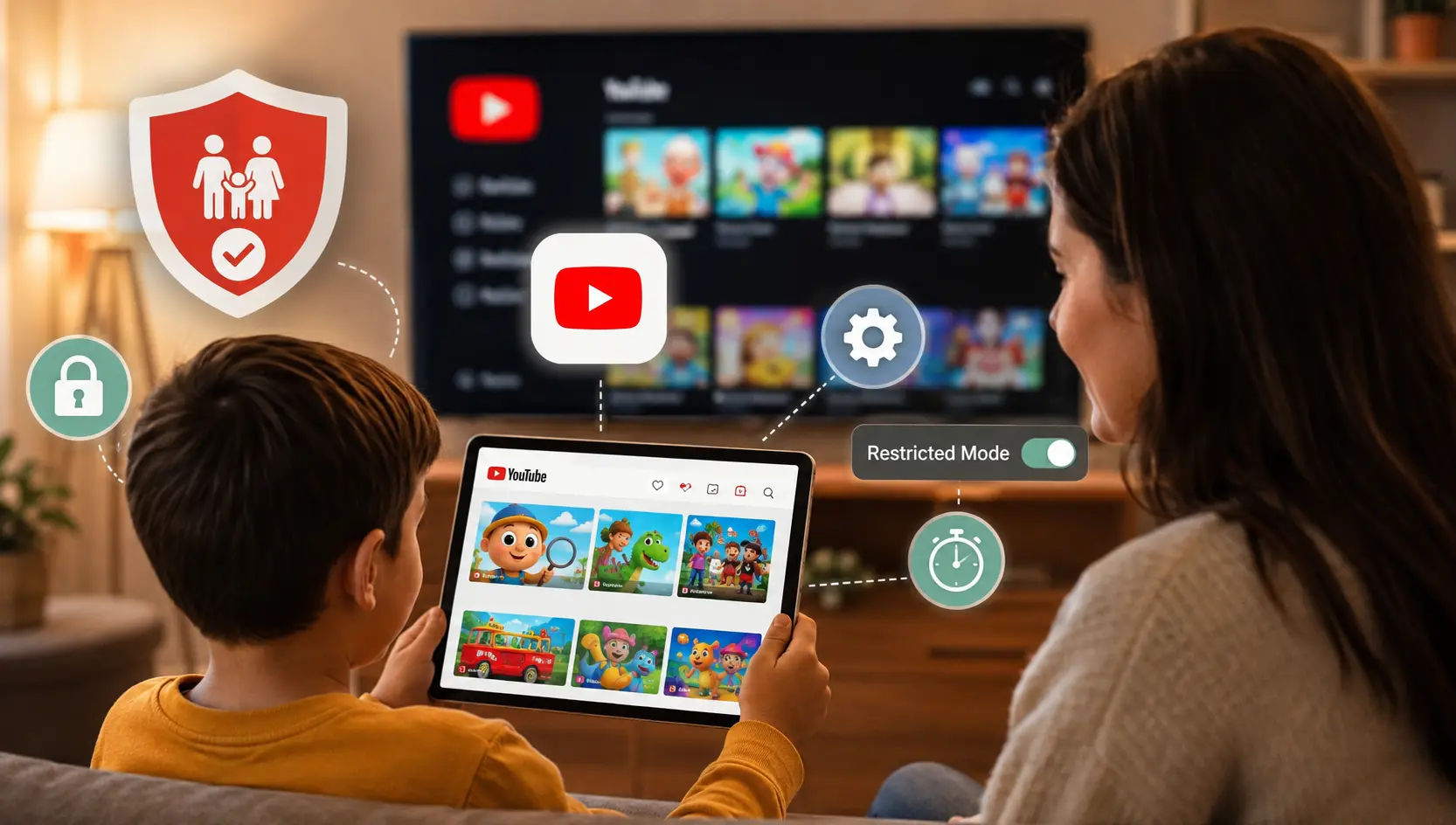
YouTube is one of the world's most popular video platforms for children and teenagers.
According to landmark research from the Pew Research Center, a staggering 90% of US teens (ages 13–17) use YouTube, with roughly 1 in 5 saying they use it almost constantly.
It dominates smart TVs, tablets, and smartphones in virtually every home. Yet, because parents often view YouTube as educational or harmless, it rarely receives the same scrutiny as apps analyzed in our guides for TikTok safety, Instagram safety, or Snapchat safety.
Quick Answer
Standard YouTube is not completely safe for children without supervision. While it offers educational and entertaining content, kids may still encounter inappropriate videos, addictive YouTube Shorts, adult comments, misleading recommendations, and excessive screen time. Children under 13 should use YouTube Kids or a supervised account whenever possible, along with active parental guidance. Parents should enable Restricted Mode, use Google Family Link, and consider additional parental controls for stronger protection.
This comprehensive guide dives into the data-backed reality of YouTube in 2026. We examine how the recommendation algorithm works, why YouTube Shorts poses unique risks, step-by-step instructions for YouTube Restricted Mode and Google Family Link, and how KidsNanny fills the crucial safety gaps YouTube leaves open.
Is YouTube Safe for Kids? The Honest Answer
YouTube is not inherently an evil platform. For millions of kids, it serves as a virtual library for learning science experiments, coding tutorials, game walkthroughs, music, and creative arts. However, standard YouTube was built for an adult world. Its underlying business model relies on maximizing watch time and ad views through hyper-personalized recommendation algorithms.
The accurate answer is this: YouTube can be reasonably safe for older teens if Restricted Mode is enabled, search history is monitored, comments are disabled, and screen time boundaries are enforced. However, for toddlers, elementary school children, and unsupervised tweens, standard YouTube is inherently risky. Even on YouTube Kids, automated filters regularly fail, exposing young minds to violent cartoon parodies, bizarre sensory overload, and manipulative commercial content.
The 2026 California Negligence Trial Verdict
In March 2026, a California jury delivered a historic verdict finding Meta and Google's YouTube negligent in designing features like autoplay and infinite recommendation feeds that foster digital addiction and harm young users (as reported by NPR). This landmark trial highlighted internal research showing how recommendation engines pull children into rabbit holes of harmful content without adequate parental warnings.
Note: Legal proceedings and platform policies may change over time. Parents should refer to official YouTube and Google guidance for the latest information.
How Kids Reach Harmful Content on YouTube
What Is YouTube & YouTube Shorts and Why Do Kids Love It?
Understanding why children spend hours glued to YouTube is key to guiding their habits effectively. YouTube is no longer just a passive video sharing site; it is a full-scale social ecosystem comprised of three main components:
- Long-Form Videos: Traditional 10 to 30-minute videos featuring gaming let's-plays, vlogs, unboxing videos, and educational content.
- YouTube Shorts: Vertical short-form videos (up to 60 seconds) designed to compete directly with TikTok. Shorts rely on continuous swipe gestures, fast pacing, and loud viral audio tracks.
- Live Streams & Community Posts: Live broadcasts where creators interact with viewers in real-time chat, often promoting donations via "Super Chats" or external merchandise.
Kids love YouTube because it offers total autonomy over their entertainment. Unlike traditional television, YouTube's algorithm instantly adapts to a child's exact interests — whether that is Minecraft redstone builds, slime recipes, or cartoon reactions. However, this friction-free gratification is precisely what makes it so hard for children to step away.
How Many Kids Are on YouTube? (The 2026 Numbers)
The sheer scale of YouTube's reach makes it the single most influential platform in youth culture today:
- Near-Universal Usage: 90% of US teens use YouTube, making it the #1 online platform, outpacing TikTok (63%), Instagram (61%), and Snapchat (55%) according to Pew Research.
- High Frequency: 58% of teens visit YouTube daily, and 19% report being on the platform "almost constantly."
- Younger Viewers: According to Common Sense Media data, over 70% of children aged 8 to 12 watch YouTube daily, often using shared family TVs or personal tablets.
YouTube Pros vs Cons for Families
Pros of YouTube
- Educational videos
- STEM learning
- Music & dance
- DIY projects
- Language learning
Cons of YouTube
- Shorts addiction
- Adult comments
- AI-generated content ("slop")
- Excessive advertising
- Algorithm rabbit holes
Platform Comparison: Standard YouTube vs YouTube Kids
| Feature | YouTube | YouTube Kids |
|---|---|---|
| Recommended Age | 13+ | Under 13 |
| Shorts | ✅ | Limited |
| Comments | ✅ | ❌ |
| Live Chat | ✅ | ❌ |
| Parent Controls | Basic | Better |
| Search | Full | Optional |
Age Recommendations for Parents
| Age | Recommendation |
|---|---|
| 0–5 | Avoid standard YouTube |
| 6–8 | YouTube Kids (Approved Content Only) |
| 9–12 | Supervised Account + Family Link |
| 13–15 | Restricted Mode + Screen Time Limits |
| 16+ | Ongoing guidance and conversations |
The 8 Biggest YouTube Risks for Kids and Teens in 2026
While YouTube contains vast educational value, parents must remain aware of these eight core hazards:
- YouTube Shorts Addiction ("Brainrot" Loops): YouTube Shorts delivers rapid bursts of dopamine. The infinite-scroll interface makes it easy for kids to fall into scroll spirals — often described online as "brainrot" because of repetitive, low-quality, and sensory-overloaded content that drains attention spans.
- Algorithmic Rabbit Holes & Content Leaks: The recommendation engine prioritizes engagement over child safety. A child starting with harmless gaming clips can be steered toward inappropriate content, edgy horror animations, or mature commentary in just a few auto-played videos.
- AI-Generated "Slop" & Elsagate 2.0: In 2026, automated channels leverage generative AI to churn out thousands of weird, low-quality videos targeting young kids. These videos often prioritize engagement over educational value and can confuse younger children because they mimic familiar cartoon characters while presenting nonsensical or disturbing scenarios.
- Targeted Ads & Hidden Sponsorships: Standard YouTube displays targeted advertisements before and during videos. Many popular kid influencers embed unlabelled product sponsorships or toy commercials directly into their content. Learn more in our guide to how viral trends impact kids.
- Toxic Comment Sections & Cyberbullying: Below standard YouTube videos, comment sections can contain profanity, adult spam links, and harassment. Anonymous users frequently leave abusive comments on videos uploaded by young creators. Read our Cyberbullying Action Plan for warning signs.
- Live Stream Risks & Financial Exploitation: During live streams, creators often encourage viewers to spend money on "Super Chats" or gift memberships for a shoutout. Unmoderated live chats can also expose children to inappropriate text.
- Dangerous Viral Challenges & Stunts: Risky viral trends, stunts, and dangerous pranks continue to spread rapidly on YouTube and Shorts, enticing impressionable kids to mimic unsafe behaviors at home.
- Data Collection & Privacy Concerns: Under the FTC's COPPA rule, platforms must protect child privacy. However, viewing YouTube without strict privacy controls allows data collection on young users.
Is YouTube Kids Safer Than Regular YouTube?
Google launched YouTube Kids as a standalone app tailored for children under 13, featuring simplified navigation and curated content categories.
While YouTube Kids is dramatically safer than standard YouTube, it is not flawless. Independent research has shown that YouTube Kids can still recommend inappropriate, low-quality, or frightening videos despite Google's content filters.
Pro-Tip for YouTube Kids Safety
You can significantly reduce algorithm-driven recommendations by enabling "Approved Content Only" mode in the parent settings. This disables search and restricts your child strictly to channels and videos you personally inspect and approve.
How to Make YouTube Safe for Kids (Step-by-Step 2026 Setup Guide)
If your child uses YouTube, taking 15 minutes to lock down native YouTube parental controls and YouTube privacy settings is essential. Parents searching for how to make YouTube safe for kids can configure baseline protection across all family devices using these steps:
How to Enable YouTube Restricted Mode (Time: 1 Minute)
Restricted Mode helps screen out potentially mature content. It must be enabled on every browser and device your child uses:
- Open the YouTube app or website and sign in.
- Tap your Profile Icon in the top right or bottom corner.
- Go to Settings > General (on mobile) or scroll to the bottom of the menu (on web).
- Toggle Restricted Mode to ON.
- On desktop browsers, click "Lock Restricted Mode on this browser" to prevent your child from toggling it off without your Google password (as documented in YouTube Help).
How to Set Up Google Family Link for YouTube (Time: 5 Minutes)
For kids under 13 (or teens whose accounts you manage), Google allows parents to set up a Supervised Account linked to their own:
- Open the Google Family Link app on your parent device (see Google Family Link Help).
- Select your child's profile and tap Controls > Content Restrictions > YouTube.
- Choose the appropriate content setting: Explore (9+), Explore More (13+), or Most of YouTube.
- Pause watch history or search history to stop the algorithm from auto-generating addicting recommendation loops.
How to Limit or Block YouTube Shorts on Kids' Devices (Time: 3 Minutes)
Google does not provide a one-click toggle to remove YouTube Shorts from standard YouTube. To limit Shorts:
- On the YouTube homepage, tap the three dots on the Shorts shelf and select "Not Interested" to hide the shelf for 30 days.
- Use an external app manager like KidsNanny App Blocker to enforce strict daily limits or block YouTube entirely during homework and bedtime.
Warning: YouTube Shorts Has No Native Off Switch
Unlike standard video recommendations, Google does not provide an official setting to completely disable YouTube Shorts inside the main app. Parents seeking to stop short-form video doom-scrolling must rely on third-party app management tools like KidsNanny App Blocker.
If you want to completely prevent access during study time or bedtime, here's a step-by-step guide explaining how to block YouTube on Android and iPhone.
Need More Than Basic Restrictions?
If built-in settings feel too limited, consider a dedicated parental control solution like KidsNanny that adds precise screen time management, real-time AI content filtering, and search activity alerts across all your child's devices.
Learn How KidsNanny Protects YouTube UseMyth vs. Fact: YouTube Child Safety
| Common Myth | Real Fact |
|---|---|
| "YouTube Kids is 100% safe for toddlers." | It reduces risk significantly, but automated algorithms can still leak unvetted content. Parental supervision is always required. |
| "Restricted Mode blocks all adult content." | Restricted mode screens out a large portion of mature videos, but it is not 100% foolproof against newly uploaded content. |
| "YouTube Shorts are harmless quick clips." | Shorts use infinite scroll and rapid audio cuts designed for dopamine retention, frequently exposing kids to unfiltered trends. |
| "Educational channels eliminate all risks." | Autoplay and sidebar suggestions can easily steer a child away from educational videos into unrelated rabbit holes. |
Why Built-in YouTube Parental Controls Still Fall Short
While Restricted Mode and Family Link provide a helpful baseline, they suffer from significant limitations:
- Easy Workarounds: Smart kids can open YouTube in incognito mode or log into an unmanaged account to bypass Restricted Mode.
- No Selective Shorts Toggle: Family Link does not allow parents to disable Shorts while keeping educational long-form videos active.
- Zero Context Awareness: Native controls cannot detect subtle cyberbullying or self-harm language in video comments or live chat.
Additionally, built-in YouTube settings cannot stop children from opening explicit external websites through browser links or unmonitored searches. Parents looking for broader protection can read our guide on how to block adult content and explicit websites across all family devices.
How KidsNanny YouTube Control & AI Protection Keeps Your Child Safe
To overcome native limitations, modern parents rely on privacy-first tools like KidsNanny, which is featured in our roundups of the 7 Best Parental Control Apps and Best Safe Browsing Apps for Kids.
With KidsNanny's YouTube Control, parents can manage screen time, monitor searches, block inappropriate content, and limit YouTube access during specific hours. Learn more about our dedicated KidsNanny YouTube Control feature (Time to configure: 3 Minutes):
- Granular Time Limits: Set individual time caps specifically for YouTube (e.g., 45 minutes per day) while allowing unlimited access to educational apps.
- Real-Time AI Screen Scanning: On-device AI analyzes screen content in real-time, blurring explicit thumbnails or adult content before your child views them.
- YouTube Search & Watch Monitoring: Receive instant parent alerts if your child searches for dangerous keywords related to self-harm, cyberbullying, or drug use.
- Complete App Blocking: Easily block YouTube during homework hours or bedtime via KidsNanny App Blocker.
Take Control of Your Child's YouTube Experience
Start by enabling Restricted Mode today, set healthy screen time limits, and talk openly with your child about safe online habits. If you need stronger protection, KidsNanny adds AI-powered monitoring and parental controls to help fill the gaps left by YouTube's built-in settings.
Start 7-Day Free Trial of KidsNanny6 Practical Tips for Parents to Guide Safe YouTube Use
- Keep Screens in Common Areas: Make a family rule that YouTube watching happens in the living room or kitchen — never behind closed doors.
- Co-Watch and Talk About Content: Sit with your child and watch their favorite creators. Ask questions and discuss fake stunts openly.
- Create Curated Playlists: Build custom family playlists of verified educational channels so your child has safe go-to choices.
- Turn Off Autoplay: Disable the "Autoplay next video" toggle to break automatic viewing loops.
- Establish Clear Time Boundaries: Enforce clean ends to screen time sessions using automated limits. One effective strategy is creating a dedicated homework schedule that temporarily limits distracting apps like YouTube, TikTok, and games. Read our complete guide on how to limit TikTok, YouTube, and games during homework to set this up smoothly.
- Revisit Rules Regularly: As your child grows, update their settings and discuss digital well-being. For additional insights, read our overview on Parenting in the Digital Age.
Frequently Asked Questions
What age is YouTube safe for?
Standard YouTube is intended for users aged 13 and older. For younger children under 13, Google recommends YouTube Kids or supervised accounts. Standard YouTube is only safe for mature teens when Restricted Mode is enabled, comments are disabled, and parents use active YouTube screen time supervision.
Can kids accidentally see adult videos on YouTube?
Yes. Millions of videos are uploaded daily, and automated filters can fail. Children can stumble onto violent animations, adult language, horror themes, or suggestive content via search suggestions or recommended sidebars.
Does Restricted Mode block everything?
No parental control filter is 100% foolproof. Restricted Mode relies on automated algorithms, community flags, and uploader age-restrictions, meaning some inappropriate content can still slip through.
Is YouTube Kids completely safe?
While YouTube Kids is much safer than standard YouTube, independent research shows that automated filters can still recommend low-quality or inappropriate content. Enabling Approved Content Only mode provides the strongest protection.
Is YouTube Shorts safe for young children?
YouTube Shorts poses unique risks due to YouTube Shorts addiction and its rapid, infinite-scroll format. Shorts frequently feature unfiltered pop-culture memes, aggressive audio, and viral challenges that bypass standard video age ratings.
Can I monitor my child's YouTube history?
Yes. Parents can view watch and search history directly inside the YouTube app under the You tab, or manage history through Google Family Link.
Can I completely block YouTube on my child's phone?
Yes. Parents can block YouTube using built-in device controls or a dedicated parental control app. If you need step-by-step instructions, see our guide on blocking YouTube on Android and iPhone.
How much YouTube should children watch daily?
The American Academy of Pediatrics recommends limiting recreational YouTube screen time to 1 to 2 hours per day for school-age children, prioritizing high-quality educational viewing over passive scrolling.
Related Guides
- Is TikTok Safe for Kids?
- Is Instagram Safe for Kids?
- Is Roblox Safe for Kids?
- Best Parental Control Apps
- How to Block YouTube on Android & iPhone
- Block Adult Content on Family Devices
- Limit TikTok, YouTube & Games During Homework
Final Thoughts
No parental control app can replace open conversations, clear family rules, and active involvement. Technology should support — not replace — parental guidance.
YouTube can be a wonderful window into learning and creativity when guarded by strict settings, active co-viewing, and smart parental controls. Take three actions this week: enable Restricted Mode, discuss digital boundaries with your child, and add a protective monitoring layer like KidsNanny to cover the gaps native settings leave open.
Sources: Pew Research Center — Teens, Social Media and AI Chatbots (2025/2026); Common Sense Media — YouTube & YouTube Kids Safety Benchmarks (2026); NPR — Jury Finds Meta and Google Negligent in Social Media Harms Trial (March 2026); FTC — Children's Online Privacy Protection Rule (COPPA) Compliance Guide; FBI — Crimes Against Children & Online Safety Resources; YouTube Help — Turn Restricted Mode on or off; Google Family Link Help — Manage YouTube Experience.