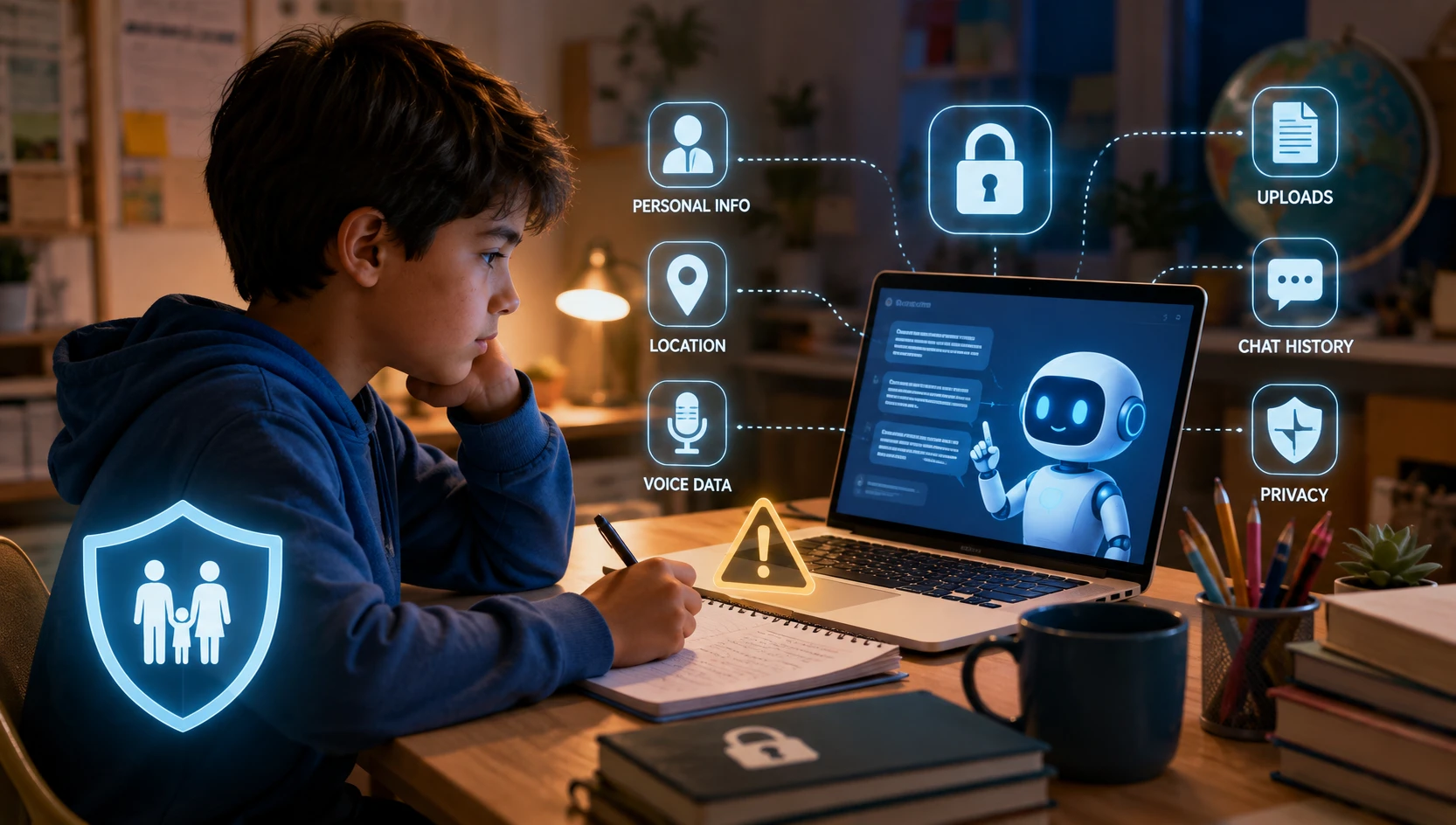
AI homework tools are quickly becoming part of everyday school life.
A child may use an AI chatbot to explain a math problem, summarize a chapter, correct an essay, translate a sentence, generate study questions, or simply understand something they did not understand in class.
Used responsibly, AI can be a powerful learning assistant.
But there is another side parents need to understand: privacy.
When children use AI homework tools, they may share much more information than they realize. A simple homework question can sometimes include a child's name, school, location, teacher, personal experiences, photos, voice recordings, or other sensitive details.
Recent research shows this is not just a theoretical concern. In a 2026 survey of 1,950 Australian children aged 10–17, Australia's eSafety Commissioner found that 32% of children who had used AI assistants or companions had shared personal data or potentially sensitive information with them.
So, should parents stop children from using AI for homework?
Not necessarily.
The better approach is to teach children how to use AI without giving away information they should keep private.
This guide explains the biggest privacy risks, highlights the most common tools, and gives parents practical rules they can start using today.
What Are AI Homework Tools?
AI homework tools are websites, apps, or chatbots that use artificial intelligence to help students learn or complete school-related tasks.
Children may use them to:
- Explain difficult subjects
- Solve or check math problems
- Summarize books or articles
- Improve grammar and writing
- Translate text
- Create study notes
- Generate practice questions
- Brainstorm ideas
- Explain science concepts
- Create study plans
- Get step-by-step help with assignments
Some tools are designed specifically for education, while others are general-purpose AI assistants.
The important point for parents is that not every AI tool has the same privacy practices, age requirements, data controls, or safety features.
Popular AI Homework Tools Parents Should Know
Children and teenagers frequently encounter artificial intelligence across several major platforms and specialized apps, including:
- ChatGPT (OpenAI): A general conversational assistant widely used for brainstorming, essay drafting, math explanations, and concept summaries.
- Google Gemini: Integrated across Google Workspace, search, and Android devices to answer questions, summarize documents, and assist with study plans.
- Microsoft Copilot: An AI companion built into Edge and Windows, assisting students with search synthesis, writing, and coding help.
- Claude (Anthropic): A conversational AI used for in-depth writing assistance, complex reasoning, and long-document analysis.
- Perplexity AI: A conversational search engine that provides cited answers, research sources, and web summaries.
- AI-Powered Scanning & Math Solvers: Specialized photo-scanning tools (such as Photomath, Socratic, and Question AI) that solve equations and explain homework from uploaded worksheet photos.
Privacy rules differ significantly between services. Before your child uses any AI tool, check its age requirements, privacy settings, chat retention policies, training and data-use options, and available parental controls.
Understanding the Difference: Privacy vs Safety in AI
When evaluating AI homework tools, parents must understand an essential distinction: privacy and safety are connected, but they are not the same thing.
- AI Privacy: Concerns what data goes into the tool — how your child's personal information, location, voice, photos, and chat logs are collected, stored, shared, and used.
- AI Safety: Concerns what comes out of the tool — whether the AI provides age-appropriate, accurate, non-harmful, and emotionally safe responses.
A service can have enterprise-grade privacy controls while still producing inaccurate, confusing, or inappropriate answers. Conversely, a safe learning chatbot might still collect unnecessary personal data behind the scenes. Effective digital parenting requires evaluating both how a tool handles children's data and what children encounter while using it.
Why Should Parents Care About AI Homework Privacy?
Children often treat AI like a search engine or digital tutor.
But an AI chatbot is an interactive service. A child may have a conversation with it, upload files, share images, use voice features, create an account, or provide personal information.
The Federal Trade Commission explains that children's personal information can include things such as names, contact information, photos, videos, audio recordings, geolocation information, persistent identifiers and biometric information under the U.S. COPPA framework.
That means parents should teach children an important rule:
If you would not share it with a stranger online, don't put it into an AI homework tool.
10 AI Homework Privacy Risks Parents Should Know
1. Children May Share Their Full Name
A child might type:
"My name is Alex Patel and I'm in Grade 8 at ABC School. Can you help me write this essay?"
The homework question may seem harmless, but the child's name and school information were unnecessary.
Parent tip
Teach your child to remove identifying details before asking AI for help.
Instead of:
"I'm Sarah from Lincoln High School..."
Use:
"I'm a Grade 8 student. Can you explain this topic?"
The AI can usually help without knowing the child's identity.
2. School Assignments Can Reveal Personal Information
Homework isn't always just academic.
A teacher might ask students to write about:
- Their family
- Their home
- Their hobbies
- Their friendships
- Their experiences
- Their health
- Their emotions
- Their community
- Their future plans
If a child pastes the entire assignment into an AI tool, the conversation could contain information they normally would not share publicly.
Parent tip
Before your child submits or pastes an assignment into an AI tool, ask:
"Does this contain anything personal about you or someone else?"
If yes, remove unnecessary details first.
3. Uploading Photos Can Reveal More Than Expected
Many AI tools allow users to upload images.
A child might upload:
- A worksheet
- A textbook page
- A handwritten notebook
- A school project
- A classroom photo
- A report card
- A screenshot of an online classroom
The problem is that the image may contain information outside the homework itself.
For example, a school worksheet might show the student's name, teacher, school name, student ID or classroom details.
Parent tip
Teach children to crop or cover identifying information before uploading an image. Never upload a school ID, passport, medical document or other sensitive document just to get homework help. Parents should also understand the growing risk of AI-generated intimate images and deepfakes — explore our guide on AI deepfake nudes in schools.
4. Voice Features Can Create Another Privacy Concern
Some AI assistants allow children to communicate by voice.
That can make learning easier, but parents should understand that voice is also data.
A child may accidentally share:
- Their name
- Their location
- Their school
- Family information
- Personal experiences
- Information about other people
The FTC specifically recognizes children's audio recordings as personal information under COPPA in applicable circumstances.
Parent tip
If voice isn't necessary for homework, consider using text instead.
Also check whether the AI service provides controls for voice recordings, history and data retention.
5. Chat History Can Contain Sensitive Information
Children sometimes forget that AI conversations can contain a lot of personal context.
A conversation that begins with:
"Help me with my homework."
could eventually include:
"I'm having problems with my parents."
or:
"I'm being bullied at school."
or:
"My teacher said..."
The conversation can become much more personal than the original homework question.
Parent tip
Teach children that an AI chatbot is not a private diary.
If something is highly personal, sensitive or urgent, they should talk to a trusted adult instead.
AI can support learning, but it shouldn't replace a parent, teacher or other trusted adult when a child is dealing with something personal, sensitive or serious.
6. Children May Create Accounts Without Understanding the Privacy Policy
Many AI services require an account.
Children may quickly click:
"Sign up with Google"
without thinking about what information is being connected to the service.
Parents should check:
- Minimum age requirements
- What information the service collects
- Whether chat history is stored
- Whether uploaded files are retained
- Whether conversations can be used to improve the service
- Available privacy controls
- Account deletion options
- Parental controls
Don't assume that every AI tool has the same rules. Parents can also combine privacy habits with device safeguards — explore our guide on the best parental control apps for Android and iPhone or AI solutions like KidsNanny.
7. Free AI Homework Websites May Have Different Privacy Practices
A child searching for:
"AI homework solver free"
can find many websites and apps.
Some may be legitimate educational tools. Others may have unclear ownership, aggressive advertising, unnecessary account requirements or privacy policies that parents may not be comfortable with.
Parent tip
Before allowing a child to use a new AI homework website, check:
Who operates it?
What data does it collect?
Does it have an age requirement?
Does it explain how data is used?
Can the account and data be deleted?
Does the child actually need to create an account?
If the answers are unclear, choose another service. Using a dedicated kid-safe browser like Browsely can also protect kids from shady sites.
8. Children May Share Other People's Personal Information
Privacy isn't only about protecting your child.
A student may paste information about:
- A friend
- A teacher
- A classmate
- A sibling
- A parent
For example:
"My friend Emily has this problem. Here is her message..."
That message could contain personal information that Emily never agreed to share with an AI service.
Parent tip
Teach children:
Never upload someone else's private information without permission.
This is an important digital citizenship lesson as well as a privacy lesson.
9. AI Data May Be Used Beyond the Homework Session
When a child inputs text, essays, code, or images into an AI homework tool, that data may not stay confined to their immediate chat session.
Many general-purpose AI platforms, unless configured otherwise, may retain prompt history and use anonymized or account-linked conversations to train and improve future AI models. Furthermore, third-party AI homework apps often rely on external API providers or analytics partners to process requests, creating additional hops where student data could be stored or logged.
Parent tip
Review the tool's data training and model improvement settings. On major platforms, turn off options like "Improve the model for everyone" or opt out of data sharing for model training in the account privacy settings.
10. Deleted Chats or Accounts May Not Mean Instant Data Deletion
Parents and students often assume that pressing "Delete Chat" or clearing history wipes data from servers immediately. In reality, most cloud-based AI services retain conversation logs on backup servers for 30 to 90 days for safety review, abuse detection, and legal compliance before permanent purging occurs.
If a child accidentally inputs sensitive details, deleting the conversation thread removes it from the screen history, but does not always erase it instantaneously from the provider's backend systems.
Parent tip
Check the service's official data retention and deletion policy rather than assuming deletion is instantaneous. Treat every input into an AI tool as potentially persistent, reinforcing the rule: never submit what you wouldn't want permanently stored.
What Personal Information Should Kids Never Put Into AI?
Create a simple rule for your child.
Unless a parent or teacher has specifically approved it, don't enter:
- Full home address
- Personal phone number
- Passwords
- Login codes
- School ID numbers
- Government ID numbers
- Financial information
- Private medical information
- Exact location
- Private family problems
- Private information about friends
- Sensitive photographs
- Private documents
- Other people's personal information
A good rule is:
"No secrets, no passwords, no private documents, no identifying details."
A Parent's 10-Point AI Homework Safety Checklist
Before allowing your child to use an AI homework tool, check these:
- Check the service's minimum age requirement.
- Read the privacy policy or parent information.
- Check what information the service collects.
- Check whether chat history is stored.
- Check whether uploaded files or images are retained.
- Avoid unnecessary personal information.
- Don't upload school IDs or sensitive documents.
- Teach your child not to share passwords or private information.
- Encourage fact-checking of AI answers.
- Remind your child to ask a trusted adult when something feels uncomfortable.
Before Your Child Uses an AI Homework Tool
| Check | What Parents Should Ask |
|---|---|
| Age | Is my child old enough according to the service's terms? |
| Data | What personal information does the tool collect upon signup and use? |
| Chat History | Are conversations stored, and can history be turned off? |
| Uploads | Are uploaded worksheets, photos, or voice audio retained? |
| Training | Can student conversations be used to train or improve the AI model? |
| Account | Does my child actually need an account, or can it be used as a guest? |
| Controls | Are parental supervision and content filtering controls available? |
| Deletion | Can the account and all stored history be permanently deleted? |
How Parents Can Set Simple AI Rules at Home
You don't need a complicated technology policy.
Start with five family rules.
Rule 1: AI doesn't need to know who you are
Your child can ask questions without providing their full name, school or address.
Rule 2: Never share passwords
No AI tool needs your child's password to explain homework.
Rule 3: Think before uploading
Before uploading a photo or document, ask:
"Does this contain information about me or someone else?"
Rule 4: AI is a helper, not the teacher
Use AI to understand a topic, practice and learn — not simply copy answers.
Rule 5: Tell a parent when something feels wrong
If an AI tool produces disturbing content, asks uncomfortable questions, requests personal information or makes your child uncomfortable, your child should tell you.
What About ChatGPT and Other AI Chatbots?
AI services are evolving rapidly, and parents should check the current age requirements and safety controls of each service rather than relying on outdated advice.
On August 18, 2026, OpenAI officially announced a dedicated ChatGPT for Teens experience with built-in safety protections, homework guidance, and expanded parental controls designed specifically around safer study use.
According to OpenAI's documentation, parents can now manage important safety controls, including:
- Study Mode: Encourages interactive, step-by-step homework guidance rather than simply handing over direct answers.
- Sensitive-Content Protections: Stricter default filtering for violence, explicit material, self-harm, and inappropriate topics.
- Voice Controls: Manage or restrict real-time voice interactions.
- Image Generation Restrictions: Restrict DALL-E image generation capabilities.
- Model-Improvement & Training Settings: Control whether teen conversations and uploaded assignments are used to train future AI models.
- Memory Controls: Manage or disable what persistent personal information ChatGPT remembers across sessions.
- Quiet Hours & Screen Time: Set scheduled access boundaries to prevent late-night study distractions.
While these new parental controls represent a significant step forward, a safer AI mode cannot replace good digital judgment. Children still need to understand what information is appropriate to share regardless of which AI platform they use.
What Does COPPA Mean for Parents?
Parents may come across the term COPPA when researching children's online privacy.
The Children's Online Privacy Protection Act (COPPA) is a U.S. law that gives parents certain rights regarding the collection of personal information from children under 13 by covered websites and online services. The FTC explains that covered services may need to provide parental notice and obtain verifiable parental consent before collecting, using or disclosing certain children's personal information.
However, parents should not assume that COPPA automatically makes every AI service safe.
Privacy laws differ between countries, and services can have different policies and practices.
For parents, the practical lesson is simple:
Check the service's own age, privacy and data policies before your child uses it.
AI Homework Can Be Useful — If Parents Set Boundaries
AI is not automatically good or bad for children.
Used correctly, it can help a student understand a difficult concept, practice a new skill, brainstorm ideas or study independently.
The bigger issue is how children use it.
Parents don't need to become AI experts overnight. They need to teach children a few basic habits:
- Think before you share.
- Don't upload private information.
- Don't trust every AI answer without verification.
- Use AI to learn, not just to copy.
- Ask a trusted adult when something feels wrong.
As AI becomes a normal part of education, these habits will become just as important as teaching children how to create a strong password or recognize a phishing message.
Final Takeaway for Parents
Your child's homework may look harmless, but the information they enter into an AI tool can reveal more than they realize.
The safest approach isn't necessarily to ban AI.
Instead, teach your child how to use it safely.
Make privacy part of your family's AI rules, review new AI tools before your child uses them, and keep communication open.
The goal isn't to keep children away from technology.
It's to help them become confident, informed and safer technology users.
Related Parentingtech Guides
Parents may also find these guides useful:
- AI Deepfake Nudes: Learn how AI-generated intimate images are creating a new child-safety threat. AI Deepfake Nudes: The School Crisis Every Parent Must Know About
- Safe Browsing for Kids: Understand how inappropriate content can reach children online and what parents can do. Browsely: AI-Powered Safe Browser for Kids
- Safe Browsing Apps: Compare approaches parents can use to create a safer browsing environment. 6 Best Safe Browsing Apps for Kids in 2026
- Snapchat Safety: Learn about disappearing messages, location sharing and parental controls. Is Snapchat Safe for Kids in 2026?
- Roblox Safety: Understand gaming, communication and parental-control risks. Is Roblox Safe for Kids in 2026?
- Parental Controls Guide: Compare top protection apps. Best Parental Control Apps for iPhone and Android
Trusted Resources for Parents
For additional information about children's online privacy and AI safety: